Open any long ChatGPT or Claude conversation you’ve had. Scroll to the middle. You’ll almost certainly find a moment where you asked a question, got an interesting partial answer, then changed direction. The thread kept going. The half-pursued idea did not.
That moment — the point where a promising tangent quietly drops out of the conversation — is the most common way thinking gets lost in AI chat. It isn’t deleted. It’s just orphaned in a transcript you’ll never scroll back through.
The graveyard of half-finished thoughts
Linear chat is structurally optimistic. It assumes every reply is the one you wanted, that every follow-up moves forward, that your interest only points one direction at a time. Real thinking doesn’t work like that. Real thinking forks.
You ask an AI to draft an email. The first version is fine, but you wonder what the warmer version sounds like. You ask. You get it. Now you have two drafts but only one is visible — the second one overwrote the context. You wonder what the more direct version sounds like. You ask. Now the warmer version is gone too. You’ve made three drafts and you can only see one.
Multiply this by ten substantive sessions a week. Multiply by the fact that the “best” draft is often the one you didn’t save. The cumulative loss is invisible because each individual loss is invisible. You don’t notice the version you forgot to copy out — you only notice the version you kept.
The three ways linear chats lose your thinking
There are three failure modes, and most users hit all of them on the same day.
1. The edit-and-replace trick
You don’t like the AI’s last response, so you edit your prior message to nudge it differently. ChatGPT and Claude both silently fork the conversation under the hood — they keep the old branch somewhere — but the UI shows you only the latest. The old line of reasoning is reachable through a small pagination arrow most people never use. In practice, that branch is dead the moment you scroll past it.
2. The new-chat reset
When the thread gets too long or too off-track, you start a new chat. Whatever context made the previous session useful — the specifics you established over twenty turns, the personas you defined, the constraints you negotiated — does not come with you. You either copy-paste a summary (lossy) or start from scratch (lossier).
3. The buried-mid-thread tangent
This is the quietest one and the worst. Somewhere in turn 14, you asked a question that produced a surprisingly good answer. You didn’t save it. The conversation kept moving. By turn 30 it’s buried under unrelated context. By next week it’s functionally gone — you remember that the conversation existed, not what the good answer was.
Why this isn’t just a UX nit
The cost of losing thinking compounds in two ways most people don’t consciously track.
You stop exploring. If branching alternatives destroys the original, you implicitly learn to only branch when you’re fairly sure you’re done with the original. That’s the opposite of exploration. The whole point of trying a variant is to find out whether you wanted it — but if trying it costs you the baseline, you only do it when the cost is acceptable. So you stay in narrower territory than you would otherwise.
You stop revisiting. A conversation you can’t navigate is a conversation you can’t reuse. Six weeks from now you’ll have the same question, and you won’t go looking through your old transcripts because the search interface in mainstream chat tools is shallow and the structure is flat. So you re-do the work. AI conversations that should be a compounding asset decay into one-shot transactions.
What a tree-shaped conversation changes
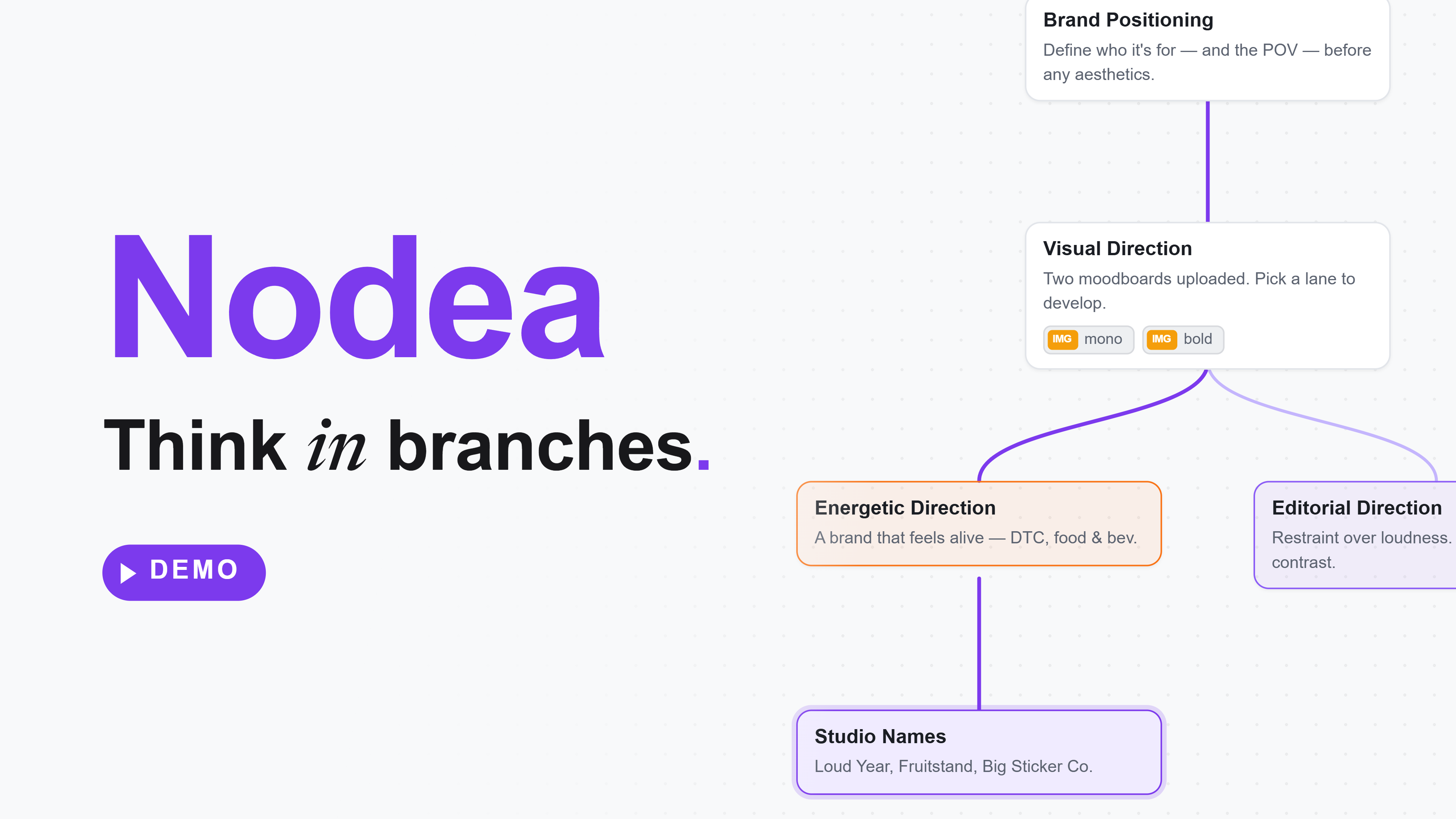
A branching canvas — like Nodea— stores the conversation as a tree of message nodes instead of a list. Each reply is a node. From any node, you can fork a new branch without disturbing the original. The result is a workspace where exploration doesn’t cost you anything.
Three behaviors change as a direct consequence:
- Variants are free. You can ask for the warmer draft, the more direct draft, and the funnier draft as three sibling branches from the same node. All three remain visible. None overwrites the others.
- Tangents stop being terminal. If you go down an interesting side road and it turns out to be a dead end, the main thread is still right there. You don’t have to undo, scroll back, or copy your way out — you click the original node and keep going.
- The past is structurally addressable. Every node has a position on the canvas. You can see the shape of where you’ve been. Old branches don’t live inside a transcript you’d have to scroll — they sit on a map you can look at.
Stop overwriting your own ideas.
Nodea is a branching canvas for Claude — every reply becomes a node you can fork from, so no draft, tangent, or alternative ever gets buried.
Try Nodea free →What it looks like in practice
Consider the email-drafting case from earlier. On a branching canvas, the same session looks like this:
- Root node: your original prompt — “draft an email turning down the speaking invitation.”
- Branch A: the AI’s first draft.
- From the root, branch B: same prompt, asked for warmer.
- From the root, branch C: same prompt, asked for more direct.
- Now you have three drafts visible side by side. You pick the one closest to what you want and continue editing on that branch. The other two remain — you can return to them, mine them for phrases, or share them with a collaborator.
Same number of prompts as before. None of the drafts lost. The workflow you would have done in your head — “let me try a few angles and pick the best one” — finally has a UI that matches it.
The same pattern works for code (“refactor this with hooks” / “refactor with a reducer”), writing (“tighter intro” / “more concrete intro”), planning (“what if we cut feature X” / “what if we ship feature X first”), and explanation (“explain like I’m a beginner” / “explain like I’m a specialist”). Anywhere you’d want two answers to the same question, you get them.
What to actually keep — and what to throw away
A common worry about branching: doesn’t the tree become unmanageable? In practice, no — because most branches are short-lived and most paths self-prune.
A useful working rule:
- Keep: branches that produced an answer you actually used, or that established a constraint you might need again. These are the seeds of future work.
- Trim: dead-end exploratory branches once you’ve made the decision they were exploring. The point of the branch was to learn whether it led somewhere; once you know it didn’t, the node has done its job.
- Promote: the path you ended up following becomes the “main” line. Treat it the way you’d treat a merged branch in git: it’s the canonical record.
Done this way, the tree stays scoped — usually fewer than twenty nodes for a substantial session — and every node is there because you decided it earned its place. Compare that with a forty-turn linear transcript where you can’t tell which turns were the load-bearing ones.
FAQ
Why can’t I just save important responses to a notes app?
You can — and many people do. The problem is the cost. Switching to a notes app breaks flow, and the saved text loses the surrounding context (the system prompt, the prior turns) that made the response useful in the first place. A branching canvas keeps the context attached. You don’t save the answer; you save the whole reasoning path that produced it.
Doesn’t ChatGPT’s “edit message” feature already keep old branches?
Technically yes — it stores prior versions and you can paginate through them with small arrows. In practice the feature is nearly invisible: there’s no map of the branches, no labels, no way to compare them side by side, and once you scroll past, you’ll never go back. The branches exist in the data and not in the interface, which is essentially the same as not existing.
What about Claude Projects or ChatGPT Projects?
Both are useful for grouping conversations by topic and sharing context across them, but inside a single chat they’re still linear — every reply replaces the prior cursor position rather than adding a node. They solve the “new chat resets everything” problem for related conversations; they don’t solve the within-conversation branching problem.
Is this just for writers, or does it help with code too?
It helps anywhere the output has multiple defensible shapes. For writing, that means tone and structure variants. For code, it means alternative implementations (functional vs. OO, with vs. without a library, eager vs. lazy). For research, it means parallel hypotheses. The shape of the work that fits branching is “multiple plausible answers, want to see them at the same time.”
How do you decide when to branch vs. continue?
Branch when the next step would close off a possibility you’re not yet ready to close off — when the “what if instead” question is interesting. Continue linearly when you’re executing on a path you’ve already chosen. Treating these as two different gestures, rather than collapsing them into the same “send message” button, is the actual unlock.
For background on the underlying idea, see the complete guide to branching AI chat. For the practical comparison setup, the side-by-side comparison method shows how to use branches to evaluate two answers at once.