Deep work, in Cal Newport’s phrasing, is “professional activity performed in a state of distraction-free concentration that pushes your cognitive capabilities to their limit.” It’s the kind of work that produces things — code that works, writing that lands, decisions that hold up. It’s also precisely the kind of work most AI chat tools quietly make harder.
Not because the models are bad. The models are remarkable. It’s the chat interface — the assumption that every interaction is a quick exchange, that history is disposable, that the right shape for thinking is a column of bubbles. When the work you’re trying to do is deep, that container fights you.
AI chat is built for shallow work by default
Look at how the major AI chat products are framed. The empty state says “ask me anything.” The history sidebar encourages opening new chats. The system rewards quick questions with quick answers. The whole shape is optimized for one-shot tasks: a single question, a single answer, a fresh start tomorrow.
That’s a good fit for many real uses — looking up a fact, fixing a syntax error, drafting a thank-you note. It’s a bad fit for the work that actually pays your rent. A substantive draft. A real investigation. A multi-day design decision. None of these have the shape of one question and one answer.
The interface optimizes for the shallow case because the shallow case is where most usage lives. That’s defensible — but it leaves serious users adapting their thinking to the tool rather than the other way around.
What deep work with an AI actually looks like
When the work is deep, you spend most of your session in a specific cognitive state: you’re holding a problem in working memory and the AI is a tool for testing things against it. The flow looks roughly like this:
- You’ve set up the problem in your head— the constraints, the audience, the goal. This took effort and you’d rather not lose it.
- You ask the AI to try something. A draft, an approach, an implementation, an explanation.
- You read the result against the problem in your head. This is the work — comparing what the AI produced to what you actually need.
- You adjust. You ask for a variant, push back on a specific aspect, or branch in a new direction based on what the first attempt taught you.
- Repeat 2–4 until the artifact is right.
The whole flow depends on staying in state — keeping the problem live in your head while iterating. Anything that breaks that state is a tax on the depth of the work.
Three frictions that break flow
In a linear chat tool, three things routinely break the deep work state:
1. Branching means losing what you had
You finally got the AI to produce a draft you like. You want to try one variant — a tighter version, a more direct version — to see if it’s even better. In a linear chat, asking for the variant moves the conversation forward in a way that makes the original drift. If the variant is worse, getting back to the original means scrolling, copy-pasting, or accepting that the version in front of you is now the reference.
This is a tax on exploration. You pay it by either not exploring (settling for the first acceptable answer) or exploring with overhead (notes-app gymnastics). Either way, flow breaks.
2. Tangents cost you the trunk
Mid-session, a question comes up. “What library handles X?” “What’s the right framing here?” In a linear chat, asking that question pushes your main work context off-screen and changes what the model is “in”. Coming back means re-entering the original context — often by manually re-explaining it.
The tax shows up as either avoiding side questions (worse answers because you didn’t check the thing you should have) or asking them and paying the re-entry cost.
3. Restart inertia
When a chat gets long, slow, or off-track, the path of least resistance is to start a new chat. But that’s exactly the deep-work-breaking move: you lose the warm context. The new chat is a fresh model who doesn’t know what you and the old model worked out. You spend the first five minutes re-onboarding the AI to where you already were.
The branching canvas as a focus tool
A branching workspace removes those three frictions — specifically, it removes them in a way that preserves the cognitive state you worked to build.
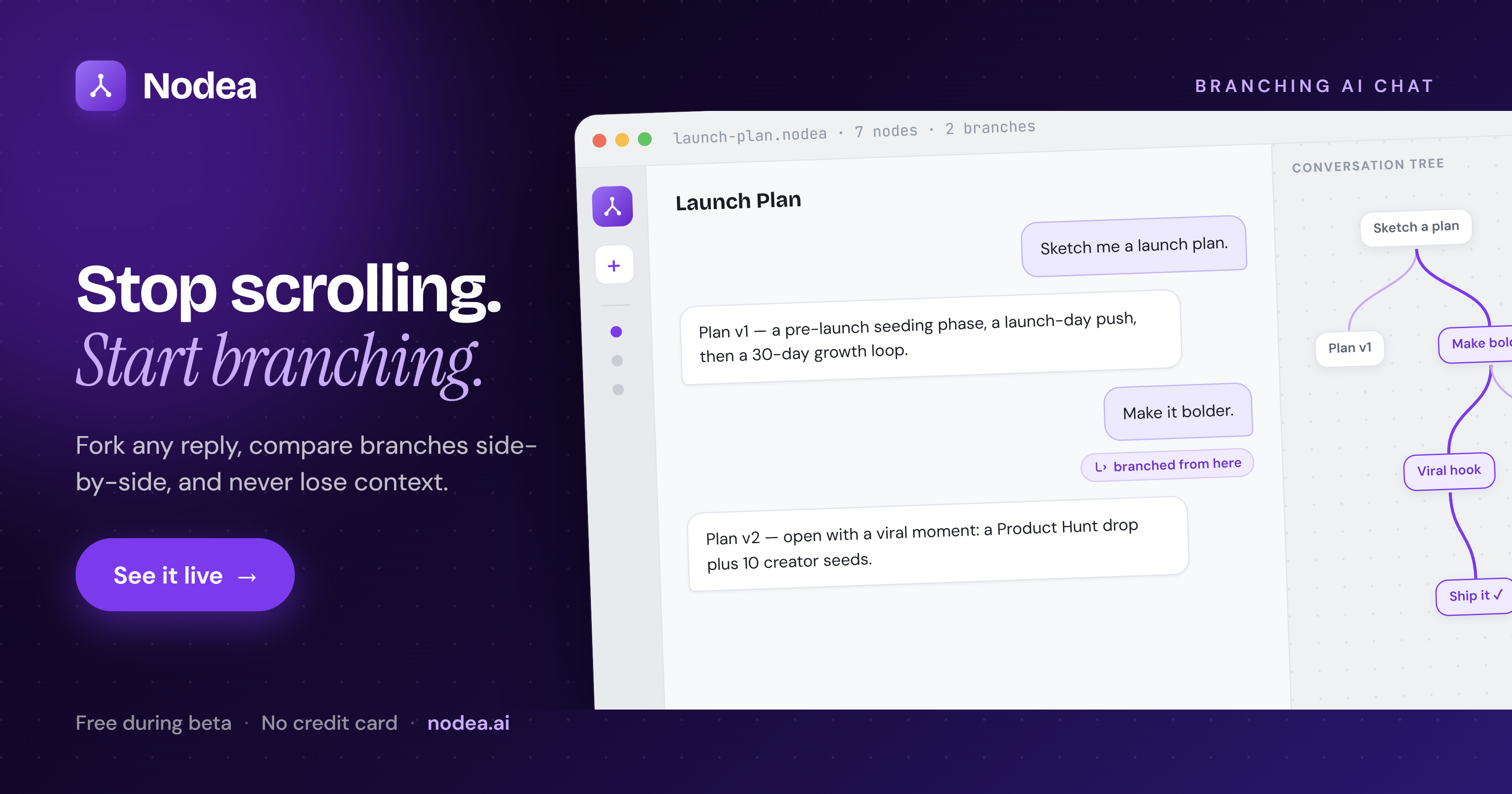
- Variants don’t cost the original. You fork from the draft node, ask for the variant on a sibling branch, and have both in front of you. If the variant is worse, you click the original and keep going. No undo, no copy-paste, no flow break.
- Side questions have their own subtree. When a tangent comes up, you branch a side question off the relevant node, get the answer, and return to the main trunk. The trunk is still right where you left it, with full context intact.
- Restart doesn’t mean reset. When a particular branch gets too long, you branch from an earlier node in the same project. The context you built — the project charter at the root, the decisions along the way — is still implicit. You’re not starting over; you’re starting from the right place.
The effect is subtle the first time you notice it: the friction just isn’t there. You stop thinking about the tool and start thinking about the problem.
Use AI without leaving deep work.
Nodea is a branching canvas for Claude. Variants, tangents, and restarts all happen without losing what you built.
Try Nodea free →A practical deep-work setup
If you want to actually run deep work sessions with an AI, here’s a setup that holds up:
Pick the right project granularity
Deep work is usually scoped to a single piece of output — a draft, a feature, a decision. Open a single Nodea project per piece. Don’t mix “the speech I’m writing” and “the dashboard redesign” in one tree. Different projects, different roots.
Front-load the root
The first message — the root — is the project charter. Goal, audience, constraints, voice, success criteria. You only do this once. Every branch inherits it.
Two minutes of root-setting saves twenty minutes of re-explaining over the next three sessions. It also means when you return tomorrow, you re-enter the same context the model already has.
Branch generously on variants, sparingly on tangents
Variants are almost always worth branching: they cost nothing and they routinely produce better final output. Tangents are worth branching when they’d otherwise contaminate the main work — but if the tangent is unrelated, it might belong in a different project entirely.
End the session at a named node
The last move of a session, before you close the tab: rename the node you’re currently on to capture where you stopped. “Mid-draft, working on the third section.” “Decided on Postgres, need to write the migration plan.” Future-you will thank present-you.
Re-enter at the right node
When you come back to the project, open the canvas, find the named node, and continue from there. No new chat. No re-onboarding. The model resumes with the same path-from-root context you ended with.
What changes when the tool fits the work
Two things, both noticed in retrospect rather than during the session itself.
Sessions get longer. When the friction is low, you stay in a problem instead of context-switching out of it. People who use a branching canvas for serious work report two- and three-hour sessions on a single project — not because the tool demands it, but because the natural urge to bail (“this chat is getting messy, let me start over”) doesn’t arrive.
The output gets sharper. The output you ship is rarely the AI’s first attempt. It’s the result of you reading the first attempt against the problem in your head, asking for a variant, comparing, asking for another angle, and synthesizing. In a linear tool, each of those steps costs something. In a branching tool, they’re effectively free. So you do more of them. So the final artifact reflects more iterations.
The promise of AI in deep work isn’t “the AI does the work for you.” It’s “you can iterate twenty times in the same hour, without losing flow.” The tool either supports that or it doesn’t.
FAQ
Isn’t AI itself a distraction tool?
It can be. So can a browser. So can a phone. The question is whether the tool, used deliberately, supports the work you actually need to do. Used for one-shot questions, AI chat can be a fast-context-switch trap. Used inside a single deep work session on a single project, an AI can be the thing that lets you do more iterations than you would have alone. The container matters.
Doesn’t a canvas with lots of branches just become its own distraction?
It can if you over-branch. The discipline is to branch when the alternative is losing something you want to keep; don’t branch for its own sake. Most deep-work sessions on a branching tool produce ten to thirty meaningful nodes, not hundreds.
What about voice-driven AI tools? Aren’t those better for flow?
Voice is great for low-stakes ideation and lousy for the detailed comparison work that defines deep work. You can’t easily look at two drafts side by side via voice. The two fit different parts of the workflow — voice for the brainstorming, a canvas for the iteration.
Is this just for writers and researchers?
Engineers, designers, product managers, lawyers drafting clauses, founders weighing strategies, scientists evaluating hypotheses — anyone whose output requires iteration on specific artifacts benefits from the same setup. The pattern isn’t domain-specific; it’s shape-specific.
How do I know when I should keep working in a chat tool vs. switch to a canvas?
The honest rule of thumb: if the session is going to last more than 20 minutes and produce something you care about, a canvas is worth it. If you’re looking something up or doing a one-shot task, a regular chat is fine.
For the underlying interface idea, see the complete guide to branching AI chat. For long-running project structure, see persistent project intelligence.